AgWise Technical User Manual
Technical User Manual
1. Introduction
AgWise is an agricultural advisory platform that provides location-specific recommendations for:
- Yield predictions - Expected crop yields under different rainfall scenarios
- Fertilizer recommendations - Inorganic fertilizer application rates
- ISFM (Integrated Soil Fertility Management) - Organic fertilizer application rates
- Forage suitability - Suitable forage varieties for optimum feed production
- Livestock feed advisory - Feed balance and forage recommendations based on feed deficit/surplus
Supported Countries: Ethiopia, Rwanda, Kenya, Ghana
2. Getting Started
System Requirements
- Modern web browser (Chrome, Firefox, Safari, Edge)
- Internet connection
- JavaScript enabled
Accessing the Platform
- Open your web browser
- Navigate to: https://dashboard.agwise.org
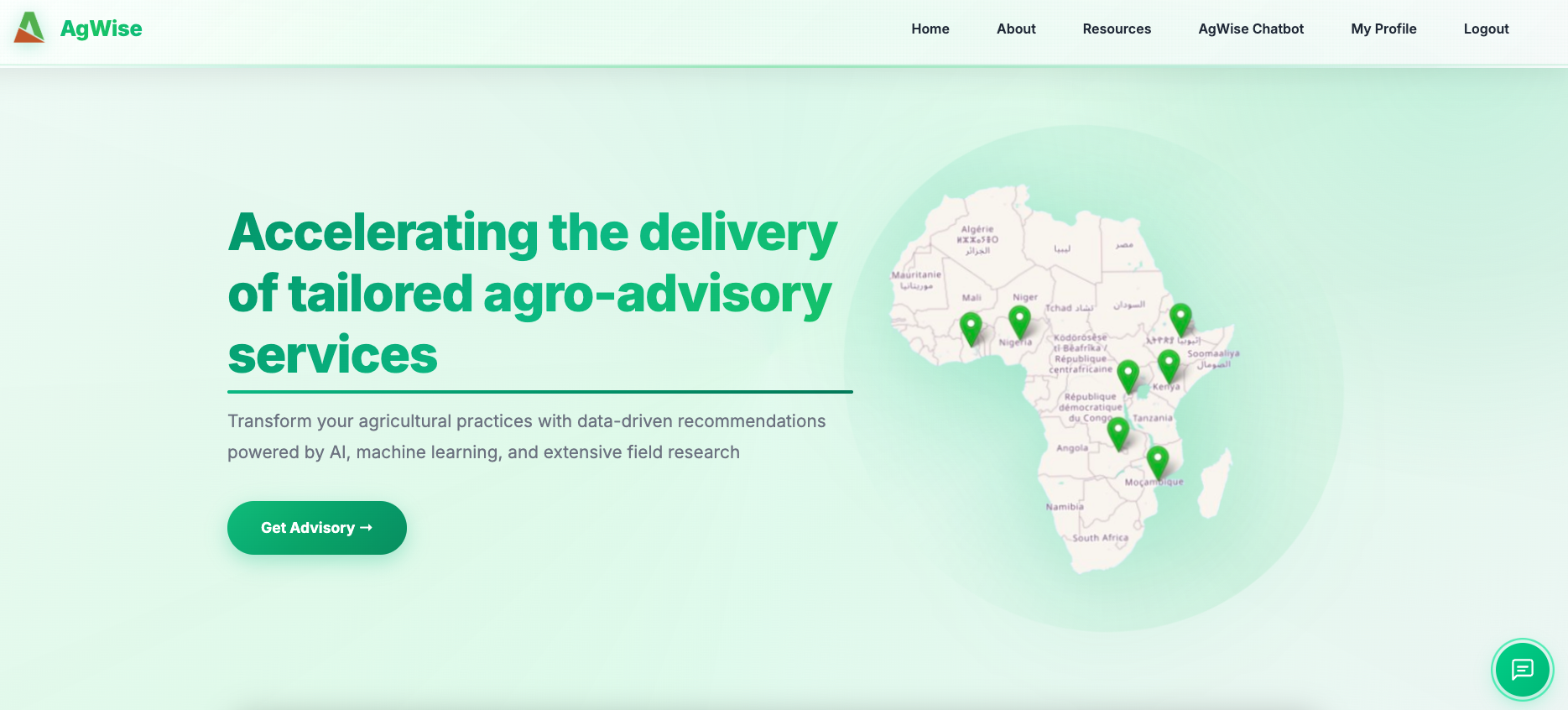
AgWise Platform Homepage
3. Registration and Login
Creating an Account
Step 1: Click “Login” in the top navigation menu
Step 2: Click “Register” or “Create Account”
Step 3: Fill in the registration form:
- First Name: Your first name
- Last Name: Your last name
- Username: Choose a unique username (letters, numbers, underscore)
- Email: Your email address
- Password: Strong password (min 8 characters)
- Organisation: Your organization name
- Country: Select your country
- Region/Zone/District: (Optional) Your administrative location
- Coordinates: (Optional) Your location coordinates
Step 4: Click “Register”
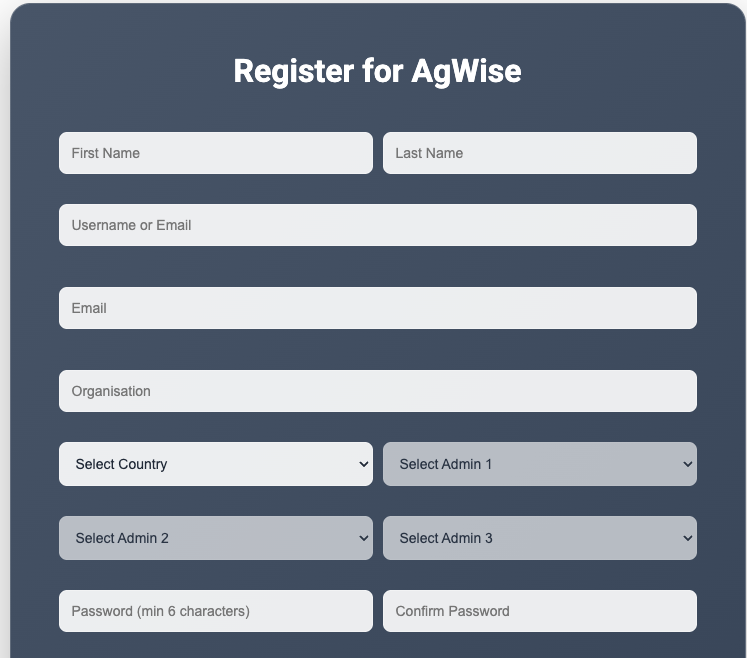
User Registration Form
Step 5: You will be automatically logged in
Logging In
Step 1: Click “Login” in the navigation menu
Step 2: Enter your username and password
Step 3: Click “Login”
Note: Your session remains active for 24 hours
4. Dashboard Navigation
Main Menu Items
Home - Platform overview and quick start guide
About - Information about AgWise and the team
Resources - Documentation, guides, and API documentation
AgWise Chatbot - AI assistant
My Profile - View and edit your profile information (visible when logged in)
Login/Logout - Access your account
5. Generating Advisories
Method 1: Step-by-Step Workflow
Step 1: Select Location
- Click “Get Started” on the homepage
- Choose location selection method:
- Administrative Boundary: Select country, region, zone, district
- Draw on Map: Draw a polygon on the interactive map
- Upload Shapefile: Upload a .zip file containing shapefile
- Point Location: Enter latitude and longitude coordinates
- Click “Next”
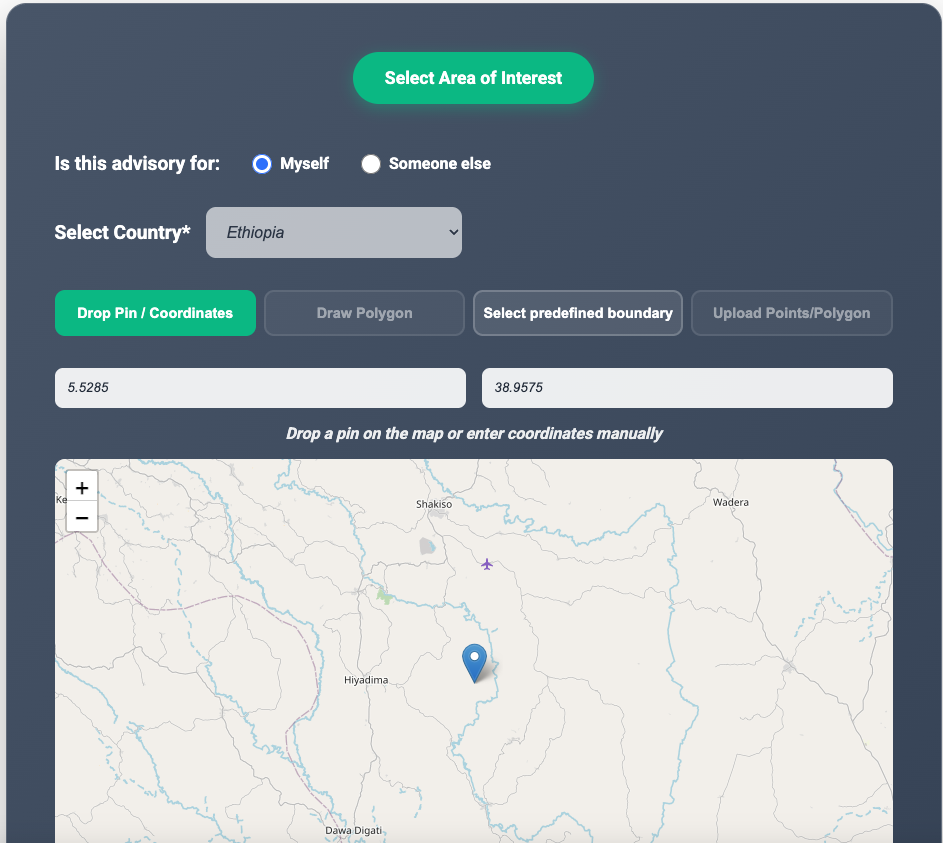
Location Selection Interface
Step 2: Select Farm Advisory Type(s)
Choose advisory category:
- Crop Advisory - For crop yield, fertilizer, and ISFM recommendations
- Livestock Advisory - For forage suitability and feed balance analysis
If Crop Advisory selected:
- Select crop:
- Ethiopia: Wheat, Maize, Teff
- Kenya: Wheat, Maize
- Rwanda: Potato
- Select advisory type(s):
- Yield - Crop yield predictions under different rainfall scenarios
- Fertilizer - Inorganic fertilizer recommendations (Urea, DAP)
- ISFM - Integrated Soil Fertility Management (compost, manure)
- Click “Generate Advisory”
- Select crop:
If Livestock Advisory selected:
- Choose livestock advisory type:
- Forage Advisory - Forage variety suitability scores with seed availability
- Feed Advisory - Complete feed balance, budgeting, and planning tool
- Click “Continue” to proceed to livestock-specific steps (see Section 7)
- Choose livestock advisory type:
Step 3: View Results
Results are displayed in multiple formats:
- Tables: Showing scenarios (Above Normal, Normal, Below Normal, Dominant) with specific values and units
- Charts: Bar charts displaying mean values
- Interactive Maps: Leaflet maps with raster overlays showing spatial distribution. Click any location on the map to extract exact pixel values
Step 4: Download
- Click “Download Results”
- Choose format:
- CSV (data only)
- ZIP (data + maps)
6. Rapid Analysis
For quick single-point advisories without the multi-step workflow:
Step 1: Click “Rapid Analysis” button on the location selection page
Step 2: Fill in the form:
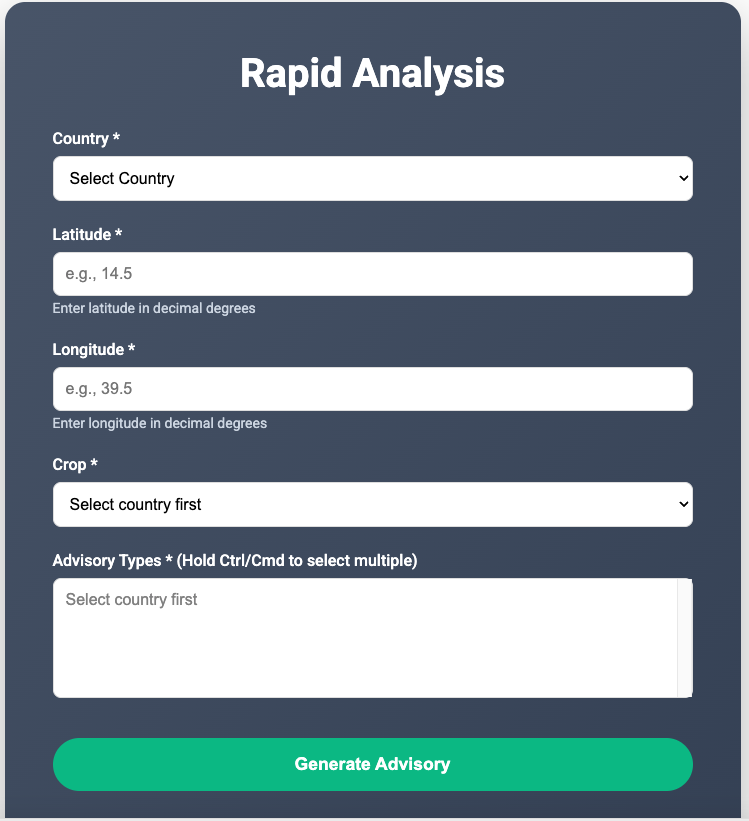
Rapid Analysis Form
Step 3: Click “Generate Advisory”
Step 4: View results in formatted table
Step 5: Click “Download Results” for CSV file
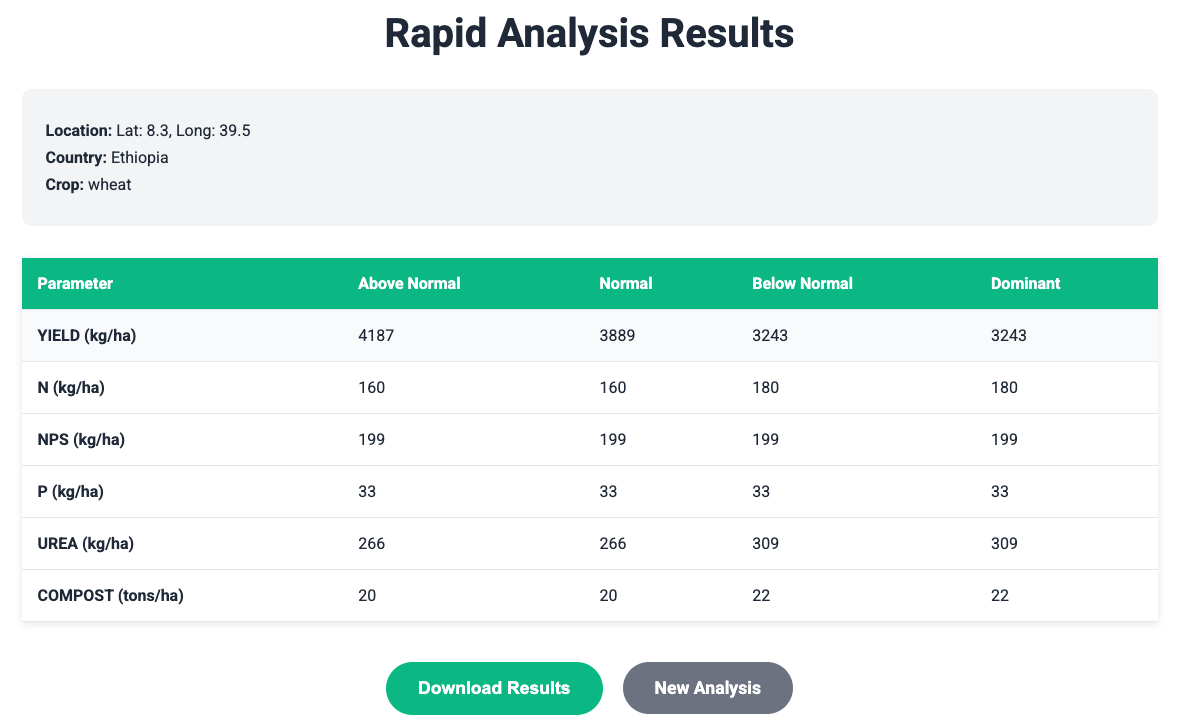
Rapid Analysis Results Page
7. Livestock Feed Advisory
The livestock feed advisory helps farmers balance feed supply and demand for their animals.
Step 1: Access Livestock Advisory
- From the homepage, click “Livestock Advisory”
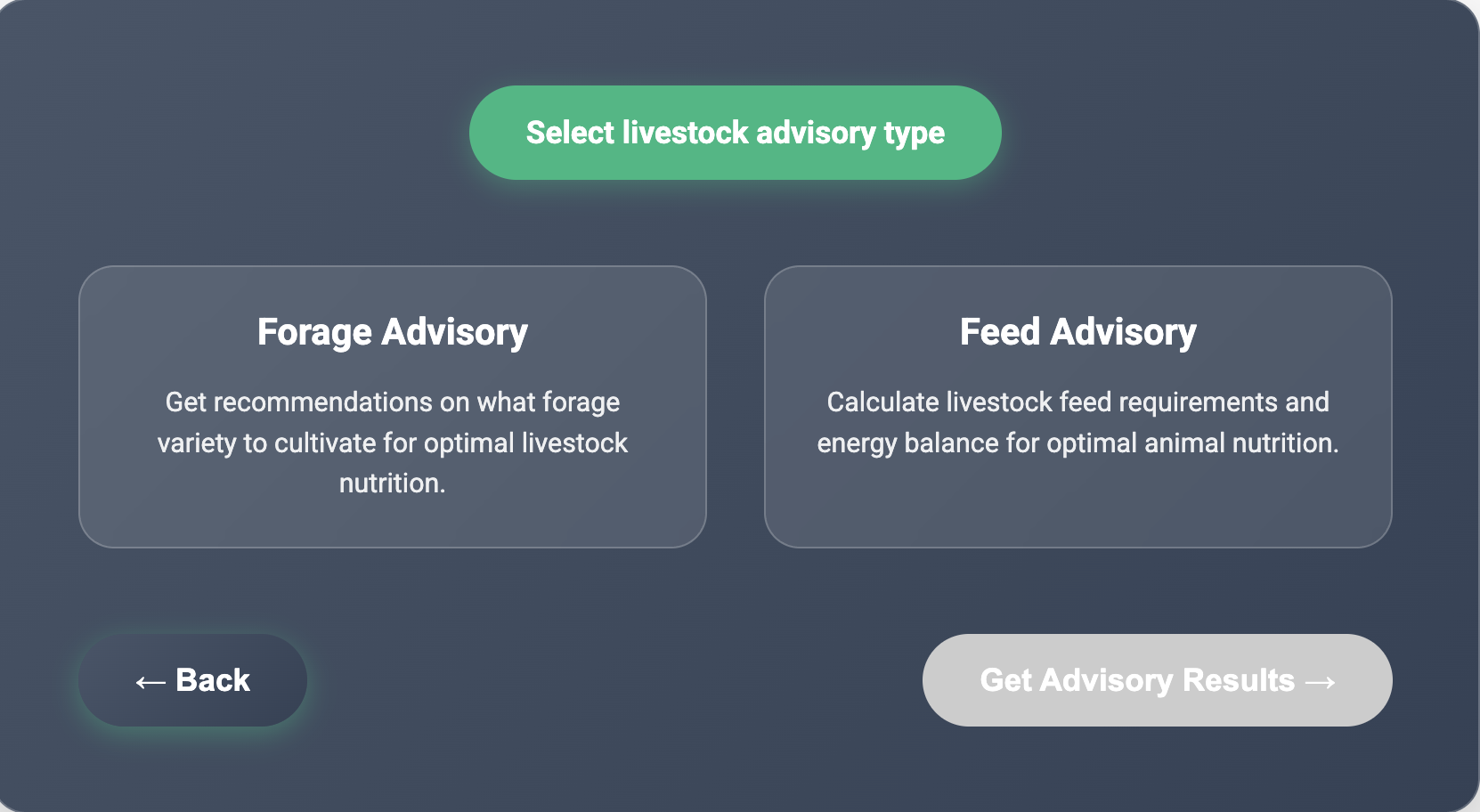
Livestock Advisory Interface
- You will see the forage advisory and feed advisory, click on feed advisory
Step 2: Define Your Animals
Add Animal Groups:
- Fill in animal details:
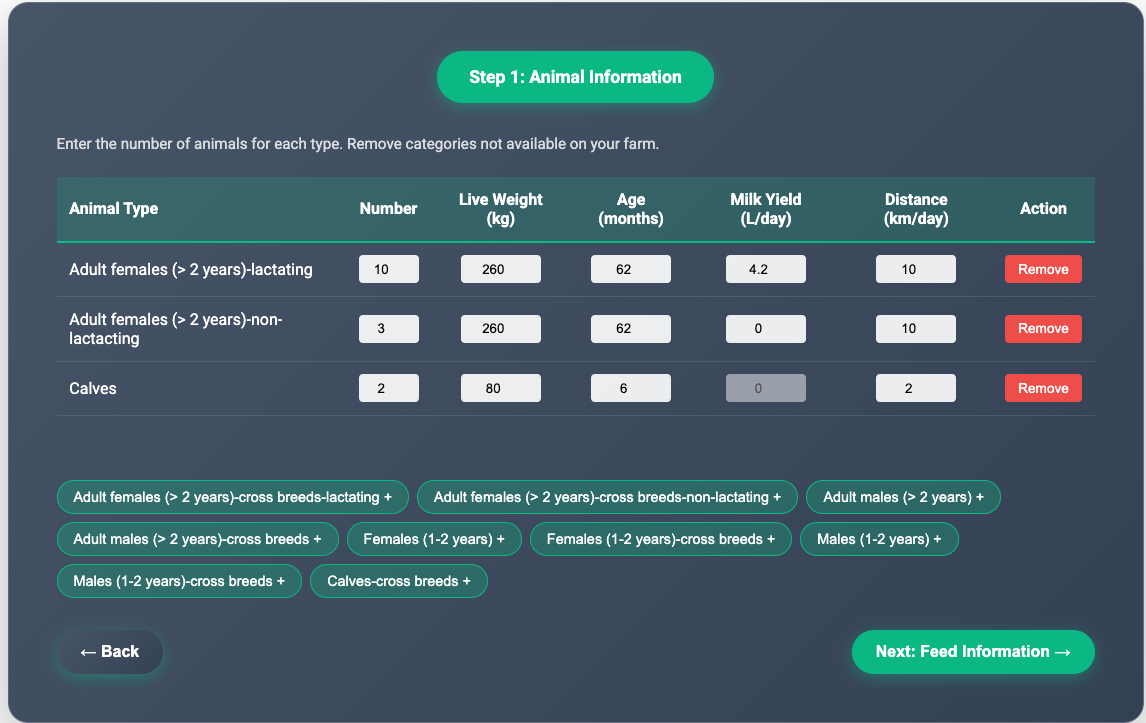
Adding Animal Groups
- Click list below the table to add animals
Step 3: Define Seasons
Create seasonal periods for your feeding calendar:
- Click “Add wet season”
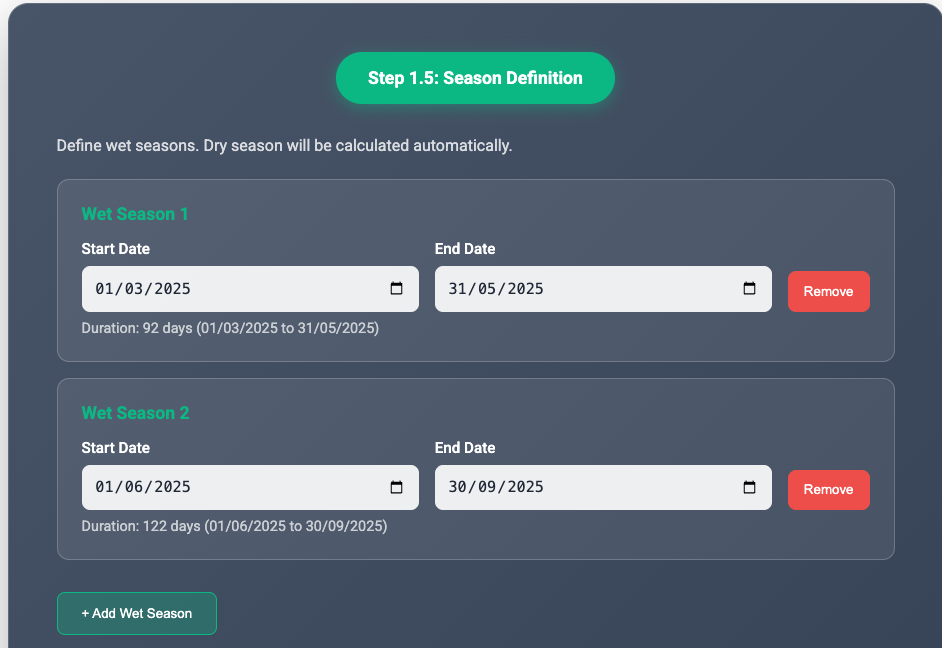
Defining Seasonal Periods
- Enter season details:
- Start Date: Season start
- End Date: Season end
- Ensure total days = 365
Step 4: Add Crop production information
For each wet season, specify crops cultivated:
- Click “Add Crop”
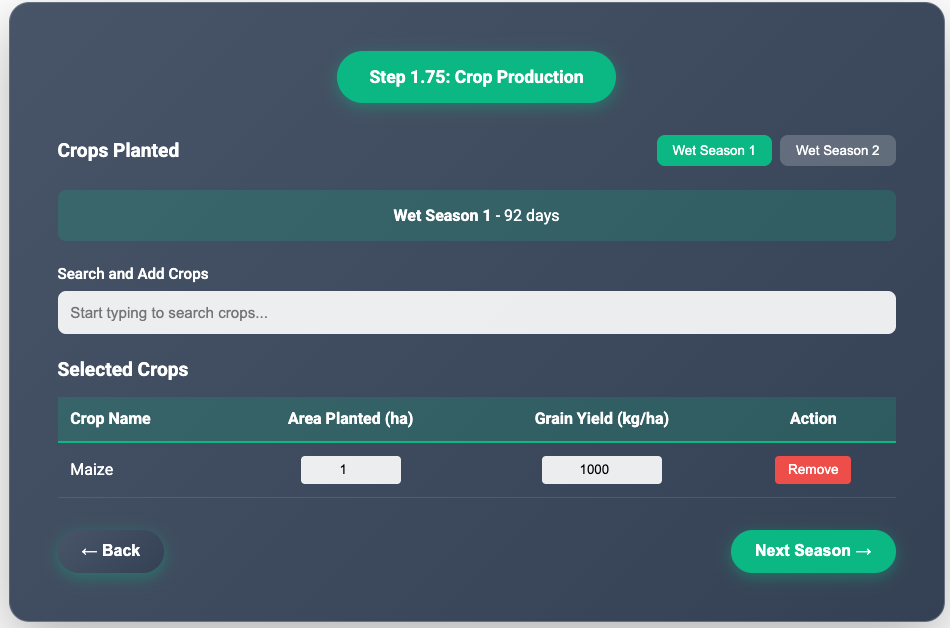
Adding Crop Information
- Enter crop details:
- Crop Name: e.g., Maize, Wheat
- Area (ha): Land under cultivation
- Grain Yield (kg/ha): Yield per hectare
Step 5: Add Feed sources
For each season, specify available feeds:
- Type name of feed in the “Search and Add Feeds”, names will populate
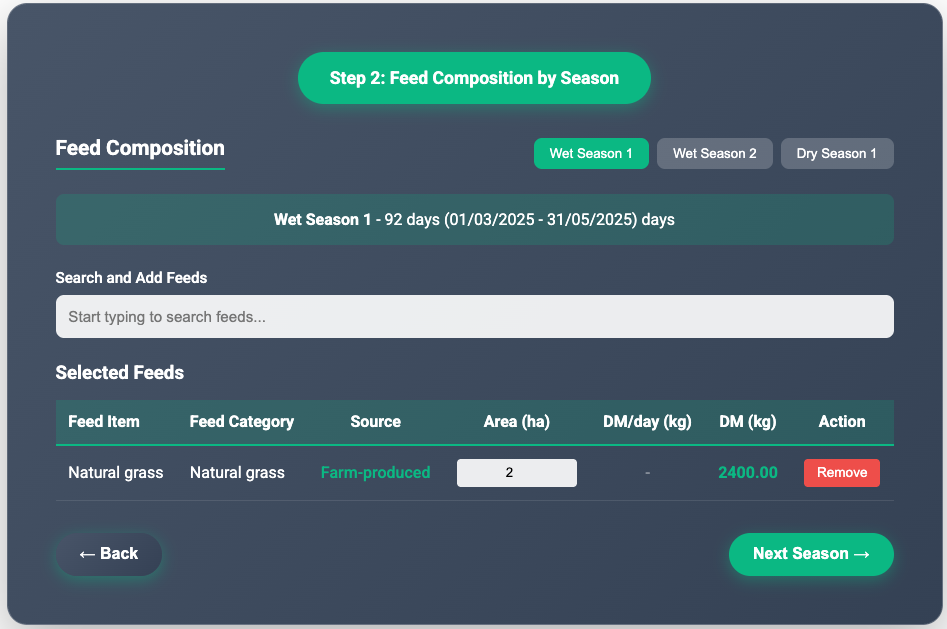
Adding Feed Sources
- Choose feed type:
- Crop Residues: Maize stover, wheat straw, etc.
- Cultivated Forages: Napier grass, Rhodes grass, etc.
- Purchased Feeds: Concentrates, hay, silage
- Enter feed quantity:
- Crop Residues: Total grain yield (kg) - residue calculated automatically
- Cultivated Forages: Area planted (ha)
- Purchased Feeds: Total dry matter (kg)
- Click “Calculate Requirements”
Step 6: Review Your Livestock and Feed Input
- Review all inputs before calculating the feed balance. You can go back to edit any information.
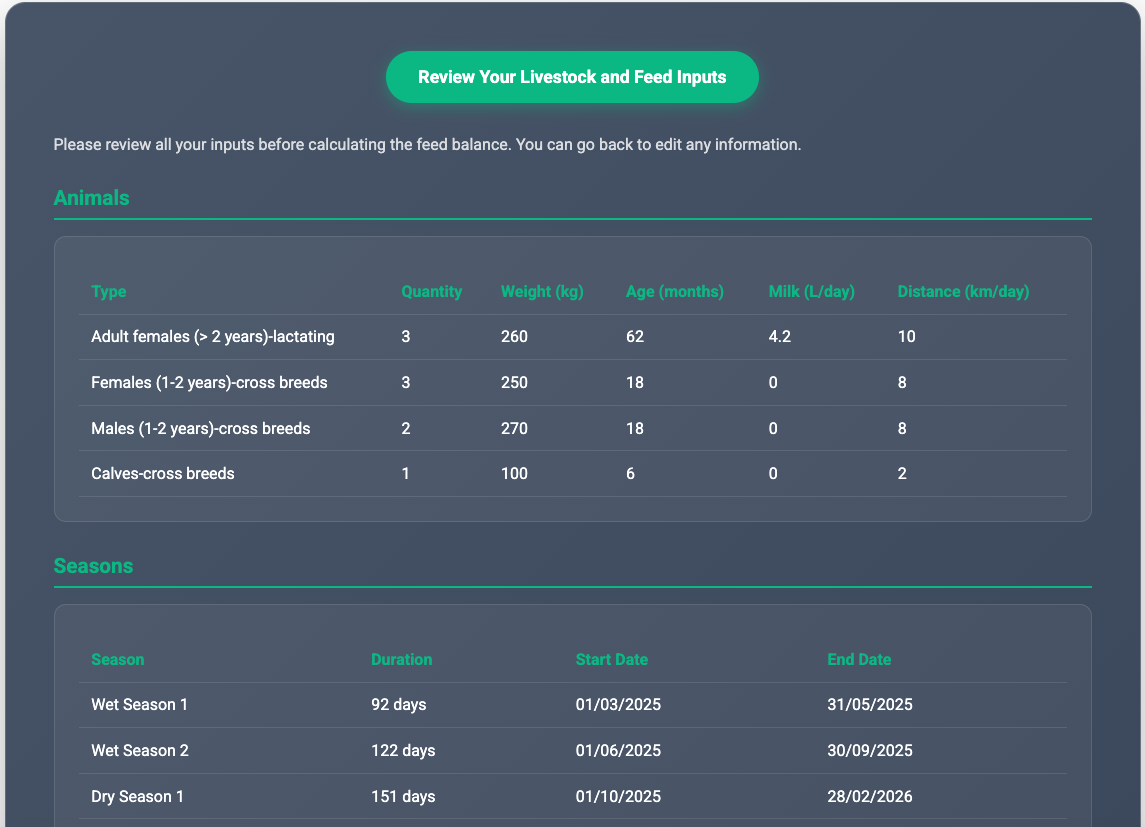
Review All Inputs
- Click “Calculate Feed Balance”
Step 7: Calculate Feed Balance
System processes:
- Animal feed requirements (DM, ME, CP)
- Feed supply from all sources
- Seasonal and annual balances
- Deficit/surplus analysis
Review feed demand & supply numbers for all seasons
Click “Get Feed Balance”
Step 8: View Results
Results show: Annual Summary:
- Total DM Demand: X kg
- Total DM Supply: Y kg
- DM Balance: Y - X kg (surplus/deficit)
- ME Balance: MJ
- CP Balance: kg
Livestock Feed Balance Results
Seasonal Breakdown (DM):
| Season | DM Demand | DM Supply | Balance | Status |
|---|---|---|---|---|
| Wet Season 1 | 2949.35 kg | 1200.00 kg | -1749.35 kg | Deficit |
| Wet Season 2 | 3911.10 kg | 2400.00 kg | -1511.1 kg | Deficit |
| Dry Season | 3284.93 kg | 1962.13 kg | -1322.8 kg | Deficit |
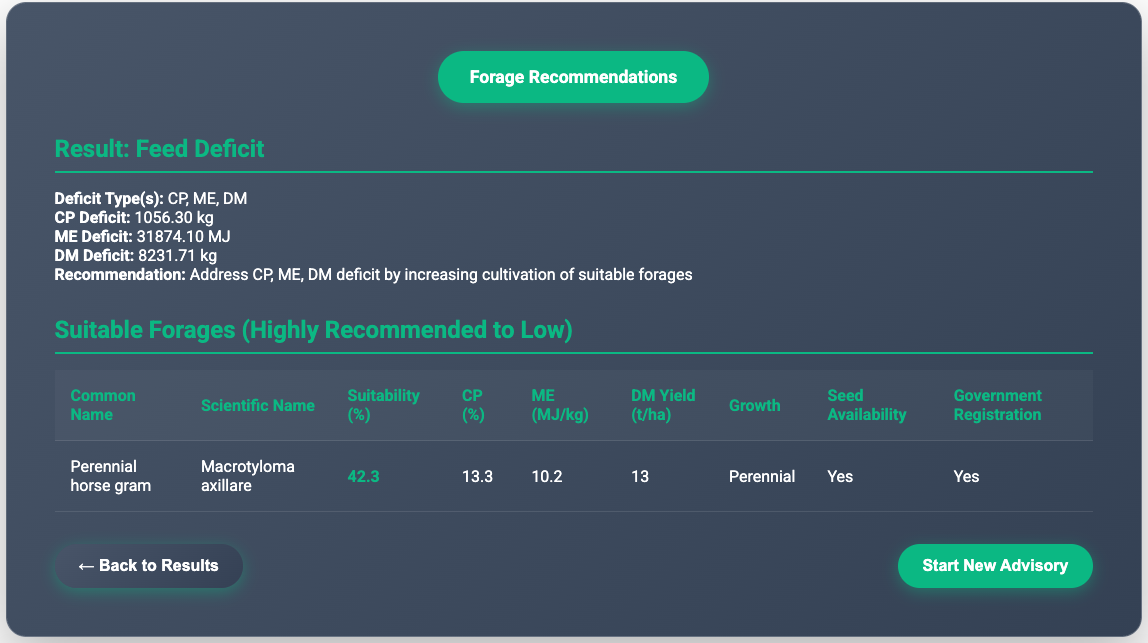
Forage Recommendations (if deficit):
Based on your location, suitable forage varieties:
| Forage Variety | Suitability Score | Seed Available | Distributor |
|---|---|---|---|
| Greenleaf desmodium | 79.5% | Yes | ABC Seeds Ltd |
| Perennial horse gram | 72.1% | Yes | XYZ Agro |
| Desho Grass | 65% | No | - |
Recommendation: Address CP, ME, DM deficit by increasing cultivation of suitable forages
9. Downloading Data
CSV Download
Contains: - Location information (coordinates, country) - All advisory recommendations - Scenario-specific values
ZIP Download (Full Workflow Only)
Contains: - CSV files for each advisory type - GeoTIFF raster files for spatial visualization - Metadata files
11. Troubleshooting
Common Issues
Issue: “Point outside area of interest”
- Solution: Verify coordinates are within the selected country boundaries
- Example: Ethiopia coordinates should be
approximately:
- Latitude: 3° to 15° N
- Longitude: 33° to 48° E
Issue: No crop options available
- Solution: Check country selection. Kenya and Ghana only support forage advisories
- Available crops:
- Ethiopia: wheat
- Rwanda: potato
Issue: Login session expired
- Solution: Log in again. Sessions expire after 24 hours
Issue: Map not loading
- Solution:
- Check internet connection
- Refresh the page
- Clear browser cache
Issue: Download not starting
Solution:
- Check browser pop-up blocker settings
- Ensure sufficient disk space
- Try a different browser
Getting Help
Email Support: agwise@cgiar.org
Documentation: https://dashboard.agwise.org/resources.html
Version: 1.0
Last Updated: March 2025
Author: AgWise Development Team